🌈 Meeting Categories
Last updated: February 26, 2026
Overview
Meetings Categories help you stay organized by allowing you to tag your meetings with a label. It’s quick and easy to add categories to all of your meetings, which can help you keep track of how you and your team are investing their time.
Features
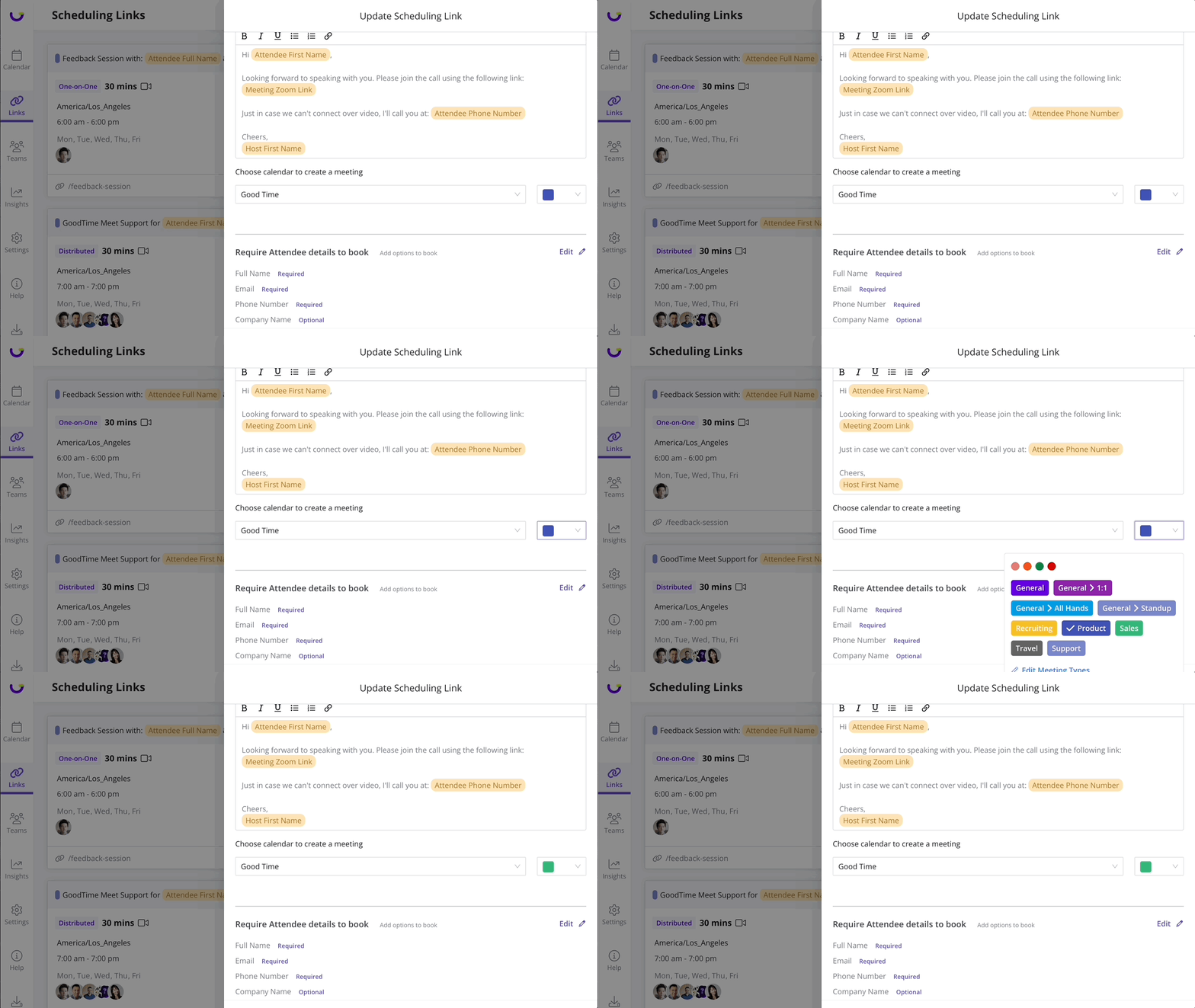
Meeting Categories in Scheduling Links
Add meeting categories to Scheduling Links so any meeting created from the link automatically gets assigned the type. This makes it easy to automate your meeting organization.
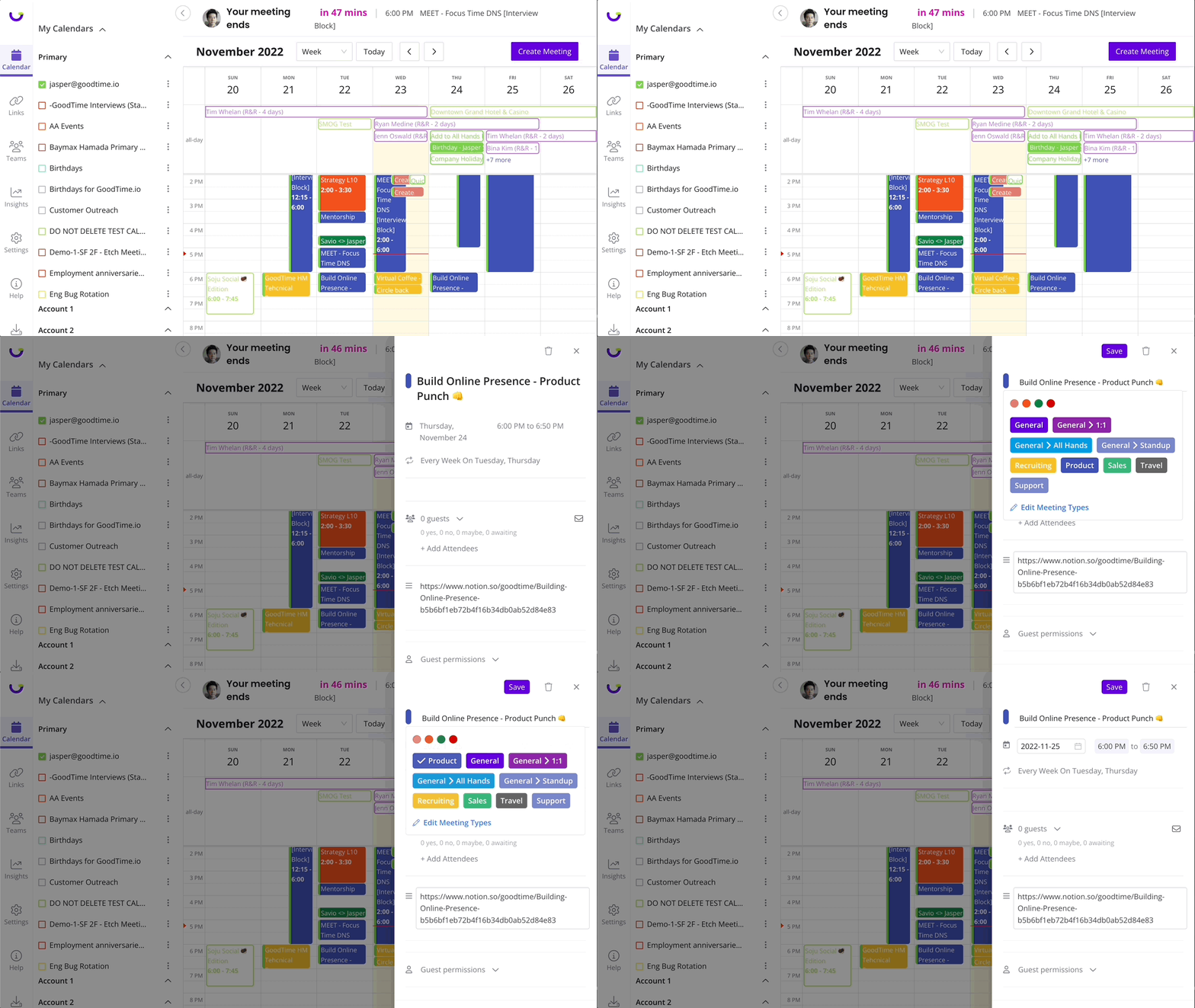
Meeting Categories in Calendar
Meet Calendar allows you to quickly assign meeting categories to meetings that have already been scheduled. You can also add categories to recurring meetings and keep everything from 1:1s to sales calls organized.
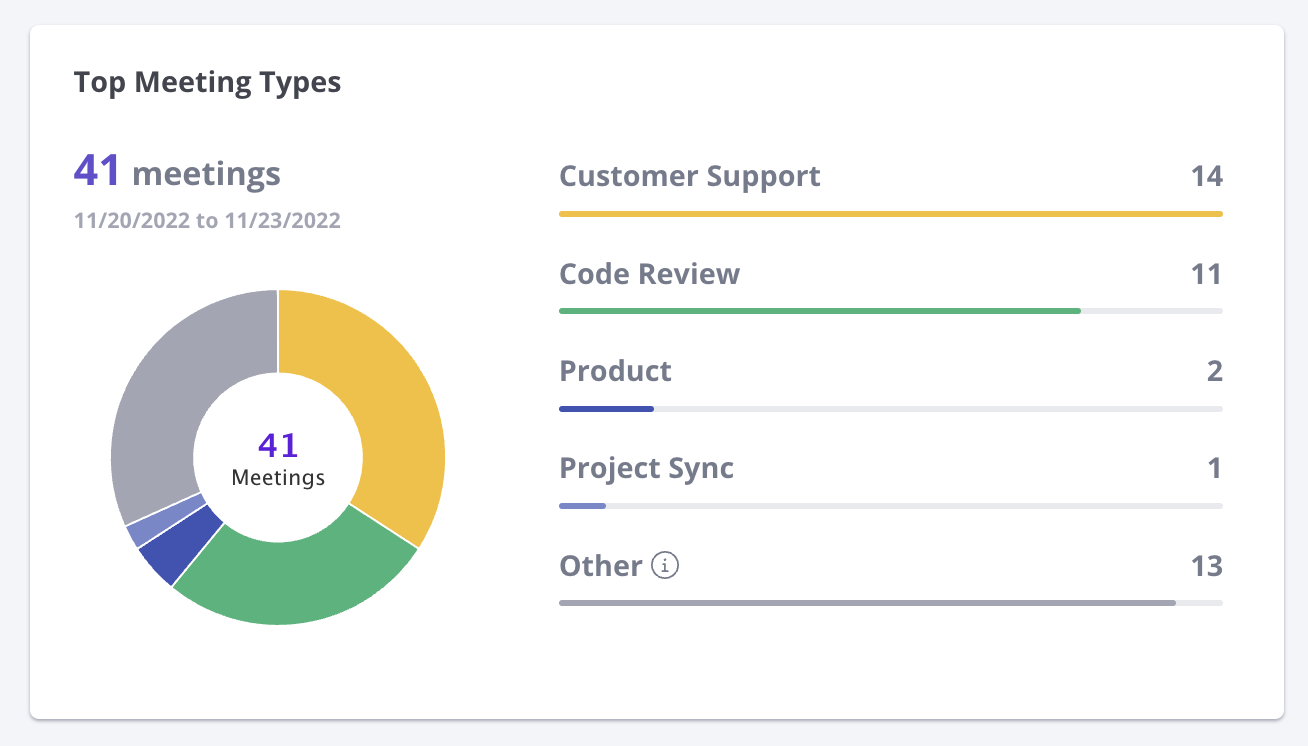
Meeting Categories for Insights
Once you add meeting categories to calendar events and your scheduling links, your insights panel will update to show you how you and your team are investing their time.
Company Shared Meeting Categories
Share categories with your team and company so that you can see how the team is doing at a macro level. Once created for the entire organization, your teammates will be able to use these categories in their scheduling links, calendars, and insights.