Why can't I sign in?
Last updated: February 27, 2026
Overview
Some companies have internal security policies, which block the use of third party applications. If your organization has policies set to block access, you may not be able to sign in until your IT or Security Organization has approved the use of GoodTime.
Below are instructions that you can pass along to your IT or Security Department to approve GoodTime Meet based on the Office Suite utilized by your company.
Google Suite
Companies using Google have the option to allow or disallow use of third party applications. You may receive an error like the one picture below if your organization has blocking enabled.
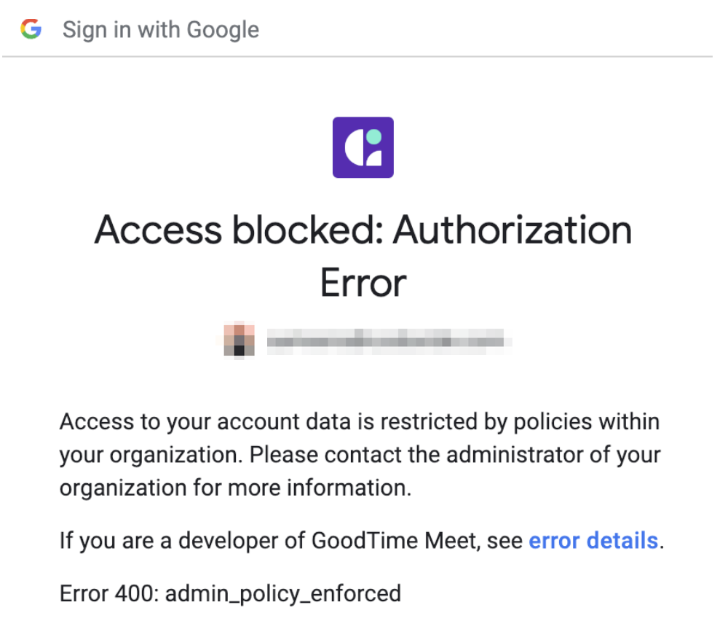
In order to use GoodTime Meet, you must ask your IT or Security team to approve the GoodTime Meet application. Your IT/Security team can find instructions in the link provided below:
🔗 Google Support Page
Google Support - Control which third-party & internal apps access Google Workspace data
Microsoft Suite
Companies using Microsoft (Office 365) have the option to allow or disallow use of third party applications. You may receive an error like the one picture below if your organization has blocking enabled.
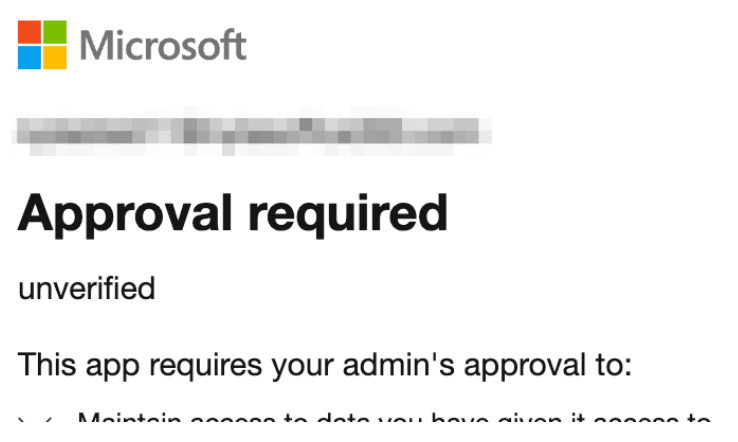
In order to use GoodTime Meet, you must ask your IT or Security team to approve the GoodTime Meet application. Your IT/Security team can find instructions in the link provided below:
🔗 Microsoft Support Page