Change Future Roles and Features Access
Last updated: February 26, 2026
User roles:
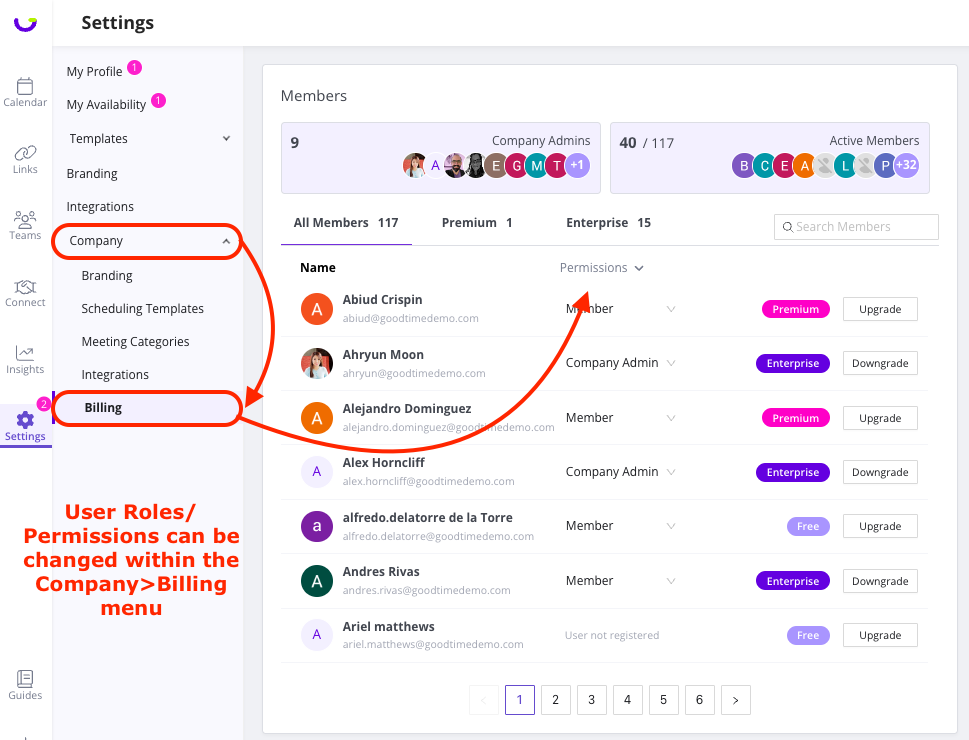
As mentioned above, if you are an Admin on your GoodTime Meet account (Billing or Company Admin) you will have the ability to change the permissions of your users. The GoodTime team will assign your initial company Admin upon your account setup. From this point onward, and Admin within your account is able to upgrade other users to admin permission.
Feature Access:
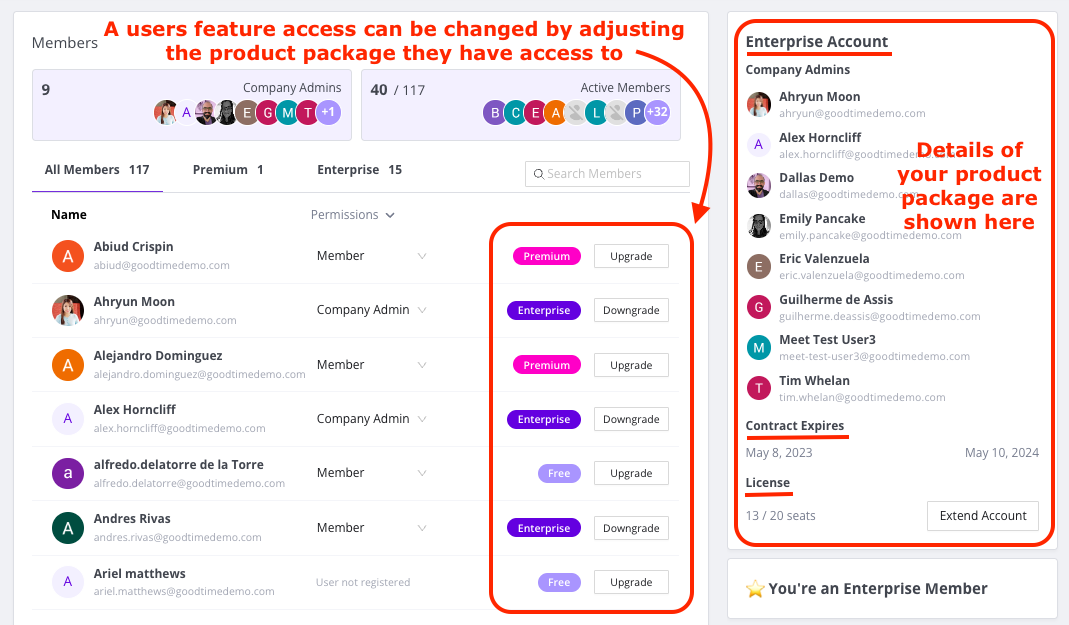
GoodTime Meet users access features based on the product package they have access to. If your new users have been onboarded to your Meet account as a ‘Free/Starter’ user you are able to upgrade their package access via the Company>Billing menu. The Billing page also shows a summary of your account details and provides you with visibility of how many available seats your have associated with your account.